
Introduction
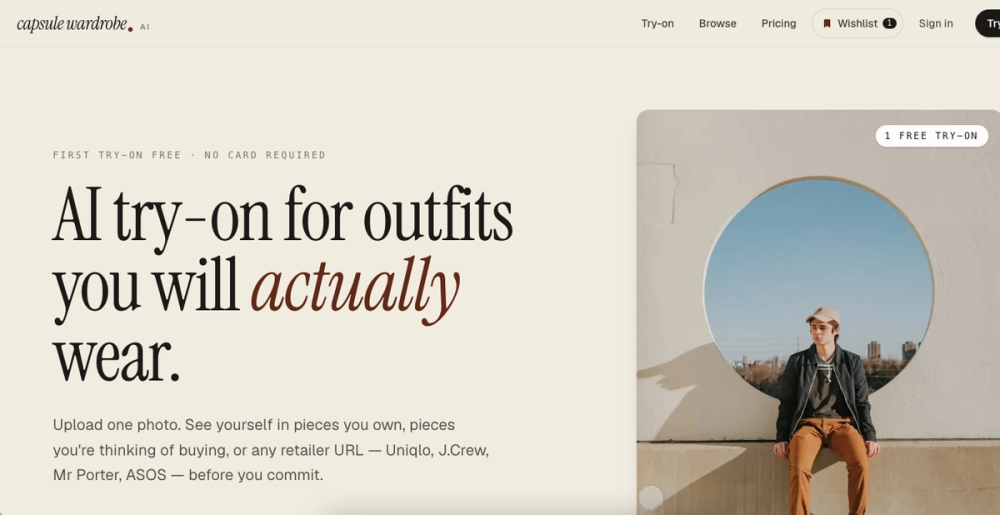
Most people own far more clothes than they actually wear. Capsule Wardrobe AI tackles this problem by combining AI-powered virtual try-on with curated capsule wardrobe guidance, all in a single web app. The tool lets you upload one photo and see yourself rendered in real garments from real brands, helping you decide what to buy before spending money.
The concept behind a capsule wardrobe is simple: own fewer pieces that all work together. Capsule Wardrobe AI makes this practical by letting you visualize each selection on your own body, rather than relying on model photos that may not represent your build or skin tone. The platform covers both men's and women's wardrobes with category-specific capsules ranging from business casual to travel.
Key Features
- Single-photo AI try-on: One full-body photo is all that is needed. The AI generates photorealistic renders of you wearing any garment from the library, typically within 15 to 30 seconds. The result preserves your face, body shape, and lighting conditions.
- Real-brand garment library: Every piece in the try-on library comes from a named, real retailer. Brands visible on the site include Uniqlo, J.Crew, Brooks Brothers, Levi's, Cole Haan, Amazon, ASOS, Mr Porter, and Aime Leon Dore.
- Curated capsule collections: Stylists assemble capsules by demographic and lifestyle, including men's, women's, business casual, minimalist, travel, plus-size, petite, tall, over-50, and postpartum. Each capsule is designed so pieces mix and match.
- Layered outfit try-on: Pro users can keep one garment on and add another, building complete outfits rather than testing items in isolation.
- Style education library: Over 120 guides, 13 editorial posts, a style quiz, and a cost-per-wear calculator are available for free, even without a paid subscription.
- Strong privacy defaults: Uploaded photos are processed in-memory and discarded immediately. The platform states images are never stored, shared, or used for AI training.
Use Cases
Reducing online shopping returns: Before ordering a pair of pants or a blazer, you can visualize it on your body to check fit and style compatibility. This cuts down on the trial-and-error cycle that leads to returns.
Building a first capsule wardrobe: Someone starting from a disorganized closet can follow the curated capsules and guides to select a focused set of pieces, then try each one on virtually before purchasing.
Cross-brand comparison shopping: The tool accepts retailer URLs, so you can compare how a jacket from J.Crew looks versus one from Uniqlo on your own body, without visiting separate websites.
Exploring style transitions: Moving from casual to business casual, or testing a new aesthetic like old-money or minimalist, can be done visually without committing to purchases.
Pricing
The pricing structure is intentionally simple:
- Free tier: One lifetime AI try-on with a watermarked result. Unlimited access to all guides, the quiz, and the calculator. No account or credit card needed.
- Pro plan: $14 per month or $99 per year (effectively $8.25 per month). Includes 50 AI try-ons monthly, unlimited wardrobe saves, layered outfit try-on, and watermark-free results. A 14-day refund window covers the first charge. Annual subscribers can downgrade to monthly within 30 days.
Stripe Tax handles regional tax calculation at checkout. EU business customers can use VAT reverse-charge. The site positions pricing as built for long-term wardrobe building rather than monthly subscription churn.
User Experience and Support
The product walks users through a three-step process: pick a capsule, try items on, buy what works. The interface is browser-based with no app download required. Support resources include a detailed FAQ covering billing, cancellation, data handling, and plan comparisons. Cancellation follows standard SaaS terms with no retention loops.
The free guide library, quiz, and calculator provide value even without purchasing a subscription, making the site useful for wardrobe education independent of the AI try-on feature.
Technical Details
Capsule Wardrobe AI runs as a web application. Photo processing happens server-side with in-memory handling and immediate deletion. The platform uses Stripe for payments and Stripe Tax for regional compliance. The garment database pulls real product listings from named retail brands. The service is accessible from standard web browsers with no dedicated mobile app or extension mentioned.
Pros and Cons
Pros:
- Photorealistic try-on from a single uploaded photo with fast turnaround
- Real garments from recognizable brands rather than synthetic clothing
- Clear privacy policy with immediate photo deletion
- Extensive free educational content including 120 plus guides
- Simple two-tier pricing with no hidden costs
- Layered outfit try-on for building complete looks on Pro
Cons:
- Free tier limited to one lifetime try-on, making evaluation before purchase limited
- 50 monthly try-ons on Pro may be insufficient for frequent shoppers
- No mobile app for trying on clothes while out shopping
- Technical details about the AI model are not disclosed
- Brand library coverage beyond listed examples is not clearly documented
FAQ
What do I need to get started?
One full-body photo and a web browser. No account, no credit card, and no app download. The free tier gives you one AI try-on and access to all guides.
How realistic are the try-on results?
The platform aims for photorealistic output that preserves your face, body proportions, and lighting. Results generate in roughly 15 to 30 seconds. The free try-on lets you evaluate quality before committing to a paid plan.
Can I try on outfits from different brands in one session?
Yes. The library includes real products from multiple retailers. You can mix pieces from Uniqlo, J.Crew, Brooks Brothers, and others in a single session, and on the Pro plan you can layer garments to build complete outfits.
What happens to my uploaded photo?
It is processed in-memory and deleted immediately after the try-on is generated. The platform states photos are never stored on servers, never shared with third parties, and never used for AI model training.
How does cancellation work?
One click in the customer portal. Monthly plans end at the current billing cycle. Annual plans cancel at renewal. There are no retention email sequences or cancellation friction. EU customers can manage VAT via reverse-charge at checkout.
Conclusion
Capsule Wardrobe AI combines two things that usually live in separate tools: virtual try-on technology and capsule wardrobe planning. The result is a focused product that helps you buy fewer clothes with more confidence. The free tier lets you test the AI quality and explore the full guide library, while Pro at $14 per month suits anyone making regular wardrobe decisions. If building a intentional closet without the usual guesswork appeals to you, capsulewardrobe.ai is worth trying.