
Introduction
AI Animate Image is an online AI image animator from AnimateImg that turns still images into short videos. The public site positions AI Animate Image for creators who want to animate portraits, products, cartoons, old photos, game art, or commercial visuals without learning timeline-based video editing.
The strongest fit is for creators, marketers, e-commerce teams, and social media producers who need quick motion clips from existing images. The site is clear about image-to-video generation, templates, MP4 downloads, pricing credits, and several plan limits, while users should still review usage rights and generation behavior for their exact project.
Key Features
- Image-to-video generation: AI Animate Image lets users upload a source image and generate a short animated video from it.
- Text-to-video support: The product interface and pricing details mention both Image to Video and Text to Video, giving creators more than one generation mode.
- Animation style templates: The page shows preset-style prompts such as luxury skincare commercial, water splash, premium food commercial, orbit camera reveal, and dolly zoom free fall.
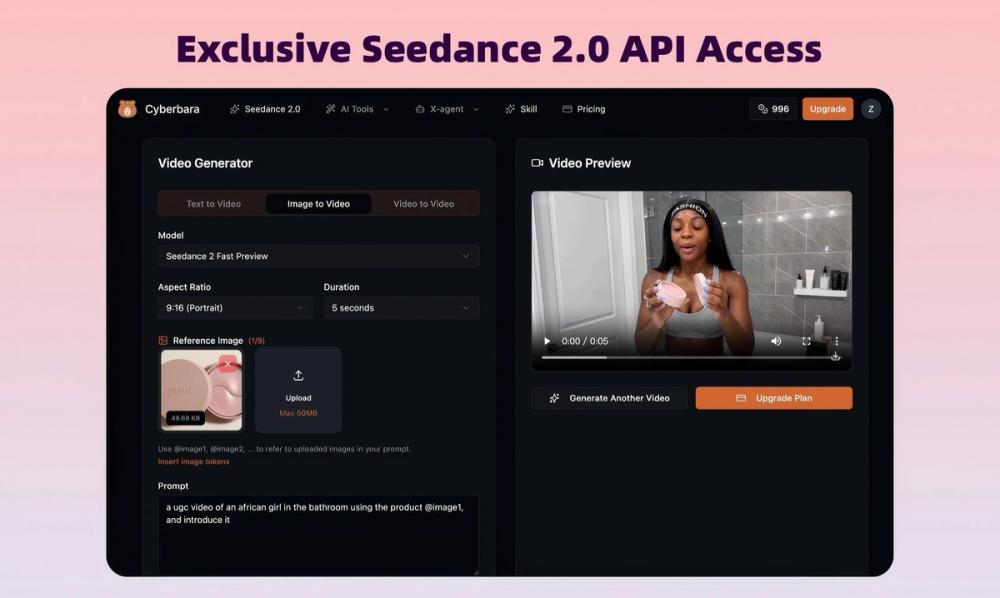
- Prompt and output controls: Visible controls include a prompt field, duration, aspect ratio, resolution, fixed lens, audio generation, watermark, and private settings.
- Multiple AI engines: The site says several top AI video models work behind the scenes, with the tool choosing an engine for the photo animation task.
- MP4 downloads: Generated clips download as MP4 files, which the site says can be used on platforms such as TikTok, Reels, or an e-commerce store.
Use Cases
AI Animate Image is useful for turning static product photography into short promotional clips. The visible prompt templates around skincare, food, wine, and water effects suggest a practical role in small ad concepts, product pages, and social posts where a still image needs motion without a full production process.
Creators working with portraits, cartoons, game art, or old photos may also use the tool to add subtle motion, parallax depth, lighting shifts, or short cinematic movement. The site shows examples such as portrait motion, a character illustration, game-art movement, and atmospheric depth, which makes the product feel oriented toward quick visual experimentation rather than traditional editing.
For teams creating content for different platforms, the MP4 export and aspect ratio controls are important. Users should still check the exact output quality, watermark settings, and commercial-use terms on their selected plan before relying on generated clips for paid campaigns, client work, products, or courses.
Pricing
AI Animate Image offers free access signals, including free credits on signup and no credit card needed. Its pricing page shows pay-as-you-go, annual, and monthly options, with annual savings shown up to 20%. Visible credit packs include Starter at $4.99 for 50 credits, Basic at $10.89 for 100 credits, Pro at $54.89 for 1000 credits, and Ultra at $109.89 for 3000 credits, with credits valid for one year. Plan details also mention output resolution, maximum 12-second videos, concurrent jobs, watermark-free downloads, private generation on higher tiers, and support levels.
User Experience and Support
The product experience is designed around a short workflow: upload a photo, choose a motion preset or write a prompt, adjust generation settings, and generate a clip. The public page emphasizes that no timeline, keyframes, or editing skills are required, which makes the tool approachable for non-editors who still need motion assets.
Support details appear mainly through the pricing plan labels and FAQ areas. The plans mention standard support, premium support, and priority support depending on tier. The site also includes FAQ topics covering how credits work, cancellation, failed generations, payment methods, refunds, commercial use, file formats, and whether a free plan exists.
Technical Details
AI Animate Image supports uploads up to 10 MB for the source image, with an optional tail frame also shown at up to 10 MB. The visible interface includes a prompt field up to 2500 characters, duration controls, aspect ratio selection, resolution settings, audio generation, watermark controls, and private generation settings.
The pricing evidence lists 720P resolution on lower plans and 1080P resolution on higher plans, with maximum 12-second videos. It also mentions concurrent job limits: 1 concurrent job on Starter, up to 2 on Basic, up to 4 on Pro, and up to 6 on Ultra. Generated videos download as MP4 files, which is useful for social platforms and storefront workflows.
Pros and Cons
Pros
- Turns still photos into short videos with a workflow built for non-editors.
- Supports creator-friendly use cases such as portraits, product visuals, cartoons, old photos, and game-art clips.
- Includes visible controls for duration, aspect ratio, resolution, audio, watermark, and private generation.
- Pricing page clearly shows credits, validity, video length limits, resolution, and support levels.
- MP4 downloads make the generated clips easier to reuse across social and commerce channels.
Cons
- Videos are listed with a maximum length of 12 seconds, which may be limiting for longer creative formats.
- Commercial use is tied to paid plans and terms, so users should read the ToS before using clips in ads, products, or courses.
- Output quality will likely depend on source image quality, prompt choices, and selected model behavior, which users should test with their own assets.
- Some features, such as saved motion recipes, are marked as coming soon rather than currently available.
FAQ
What is AI Animate Image used for?
AI Animate Image is used to turn still images into short AI-generated videos. The site specifically mentions portraits, products, cartoons, old photos, game art, and promotional visuals as examples of images that can be animated.
Who is AI Animate Image best suited for?
It appears best suited for creators, marketers, social media teams, e-commerce sellers, and designers who want quick motion clips without traditional video editing. The product is especially relevant when the starting point is an existing image rather than raw video footage.
How does the AI Animate Image workflow work?
The visible workflow is to upload a photo, choose or write a motion prompt, adjust settings such as duration or aspect ratio, and generate the video. The site says most clips finish in 60-90 seconds, though users should test generation time with their own images and selected settings.
Can AI Animate Image clips be used commercially?
The site says commercial use is available on paid plans and refers readers to the ToS for full terms. Anyone using generated clips in ads, client work, products, or courses should review those terms and confirm the rights attached to their plan.
What pricing model does AI Animate Image use?
AI Animate Image uses a credit-based model with free signup credits and paid credit packs or plans. The visible pricing tiers include Starter, Basic, Pro, and Ultra, with differences in credits, resolution, concurrent jobs, private generation, and support level.
What file format does AI Animate Image export?
The site says every clip downloads as MP4. That format is practical for TikTok, Reels, e-commerce stores, and other places where short video assets are commonly uploaded.
What should users check before choosing a plan?
Users should verify how many credits each generation consumes, whether their desired resolution is included, whether they need private generation, and whether watermark-free downloads are available on the plan they choose. They should also check refund terms and what happens if a generation fails.
Conclusion
AI Animate Image is a focused AI animation tool for turning static visuals into short videos with minimal editing effort. Its visible strengths are the simple upload-and-generate workflow, creator-oriented templates, MP4 downloads, and transparent credit-based pricing.
For most evaluators, the best next step is to try the free credits with representative images, compare output quality against the intended use case, and review the paid-plan terms before using clips commercially.