
Introduction
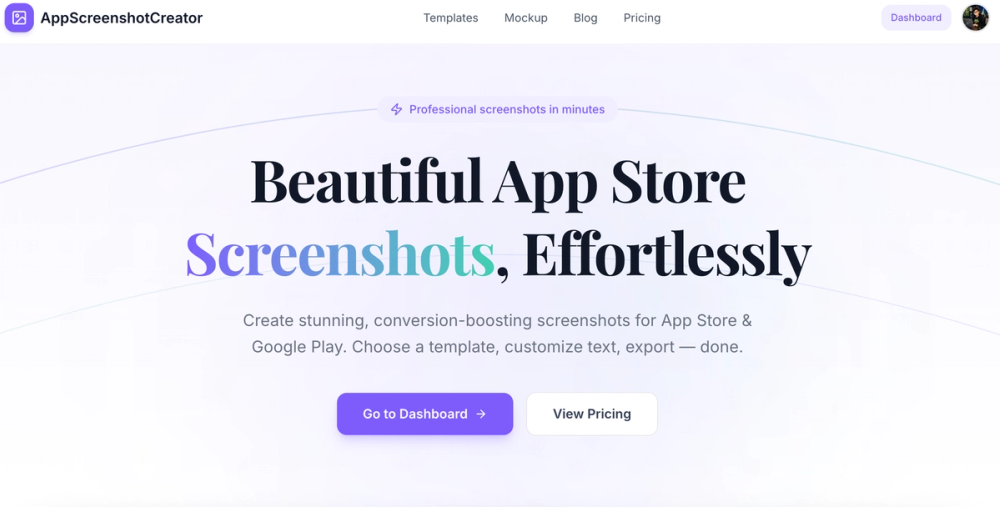
AppScreenshot Creator is a browser-based tool for building professional App Store and Google Play screenshots without design software. It offers pre-built templates organized by app category, custom typography controls, multi-screenshot project management, and one-click PNG/JPG export. For indie developers and small teams who need polished store listings but lack a designer on staff, the tool aims to close the gap between raw screenshots and conversion-ready marketing assets.
Key Features
- Category-Specific Templates - The site showcases templates tailored to app categories including health and lifestyle, dating and social, AI tools, storage utilities, fashion, and more. Each template includes pre-arranged layouts with headline placement, device frames, and background styling ready to accept custom text.
- Custom Typography Controls - Fine-tune fonts, sizes, colors, and alignment on every text element. This lets teams match store screenshots to their brand guidelines without exporting to a separate design tool.
- Multi-Screenshot Projects - Manage several screenshots within a single project, each with its own template and style. This supports the typical App Store requirement of 3-5 screenshots per listing.
- One-Click Export - Download final screenshots as PNG or JPG in full resolution, formatted for direct upload to App Store Connect or Google Play Console.
- Free Device Mockup Generator - A separate free tool wraps any image in realistic device frames (iPhone 17 Pro, iPhone 15 Pro, iPad Pro, Pixel 8 Pro, Galaxy S24 Ultra) for social media, pitch decks, or previews. Processing happens entirely client-side.
Use Cases
For indie iOS or Android developers preparing a store launch, the template-driven approach removes the need to learn Figma or Photoshop for screenshot production. Select a category template, swap in your headlines and screenshots, and export - the workflow appears designed for speed over creative depth.
For marketing teams managing multiple app listings, the multi-screenshot project structure keeps all variants for a single listing organized in one place. This reduces the friction of producing the 3-5 screenshot sets that both Apple and Google recommend.
For anyone needing quick device mockups for pitch decks or social posts, the free mockup generator handles a narrower use case without requiring a paid plan. The client-side processing means images never leave the browser, which may matter for teams handling unreleased app visuals.
Pricing
The site presents a freemium model. The free tier offers 3 projects, basic templates, and single-size export. A Pro plan at $29 is described as a one-time lifetime payment with no subscription - the site explicitly states "pay once, own forever, no hidden fees." The exact feature differences between free and Pro tiers are not fully detailed on the fetched homepage, so readers should verify the pricing page for the complete breakdown.
User Experience and Support
The workflow follows three steps: upload screenshots into a project, pick a template and customize text, then export. The site includes a demo video showing the process end-to-end. Support channels and documentation beyond the homepage are not prominently featured in the fetched evidence - a blog exists but its depth is unclear. The site does not display a visible contact form or support page on the homepage.
Technical Details
All processing appears to happen in the browser. The device mockup generator is explicitly described as 100% client-side with images staying private. The main screenshot creator's processing model is not detailed beyond the browser-based interface. Export supports PNG and JPG formats at full resolution. The site mentions support for iPhone, iPad, and Android screenshot sizes.
Pros and Cons
Pros
- Free tier allows evaluation without signup or payment
- Lifetime Pro plan at $29 avoids recurring subscription costs
- Category-specific templates reduce design time for common app types
- Client-side mockup processing keeps unreleased visuals private
- Multi-screenshot project management aligns with store listing requirements
Cons
- Free tier limited to 3 projects and single-size export, which may constrain serious evaluation
- Exact Pro feature breakdown not visible on the homepage - requires navigating to pricing
- No visible support channel or documentation depth beyond the homepage
- Template count appears limited to roughly 20 based on the "View All 20 Templates" link
- No information about API access, batch processing, or team collaboration features
FAQ
What is AppScreenshot Creator?
AppScreenshot Creator is a browser-based tool for designing and exporting App Store and Google Play screenshots. It provides pre-built templates by app category, typography customization, multi-screenshot project management, and one-click export in PNG or JPG format.
Is there a free plan?
Yes. The free tier includes 3 projects, basic templates, and single-size export with no account required. The site describes this as suitable for getting started.
What does the Pro plan include?
The Pro plan is a one-time $29 lifetime purchase. The site states it removes subscription fees and hidden costs, but the exact feature differences from the free tier are detailed on the pricing page rather than the homepage.
Can I create mockups for social media?
Yes. A separate free Device Mockup Generator wraps images in realistic device frames including iPhone 17 Pro, iPhone 15 Pro, iPad Pro, Pixel 8 Pro, and Galaxy S24 Ultra. Processing is entirely client-side.
What export formats are supported?
Screenshots export as PNG or JPG in full resolution, ready for direct upload to App Store Connect or Google Play Console.
How many templates are available?
The site references approximately 20 templates across categories including health, dating, AI tools, storage, fashion, and more. Additional templates may be added over time.
Conclusion
AppScreenshot Creator addresses a narrow but common need: producing store-ready screenshots without design expertise or expensive software. The free tier provides a low-risk entry point, and the one-time $29 Pro plan avoids the subscription fatigue common among design tools. For indie developers and small teams preparing app store listings, the template-driven workflow and browser-based export are practical starting points - though readers should verify the full Pro feature list on the pricing page before committing.