
Overview
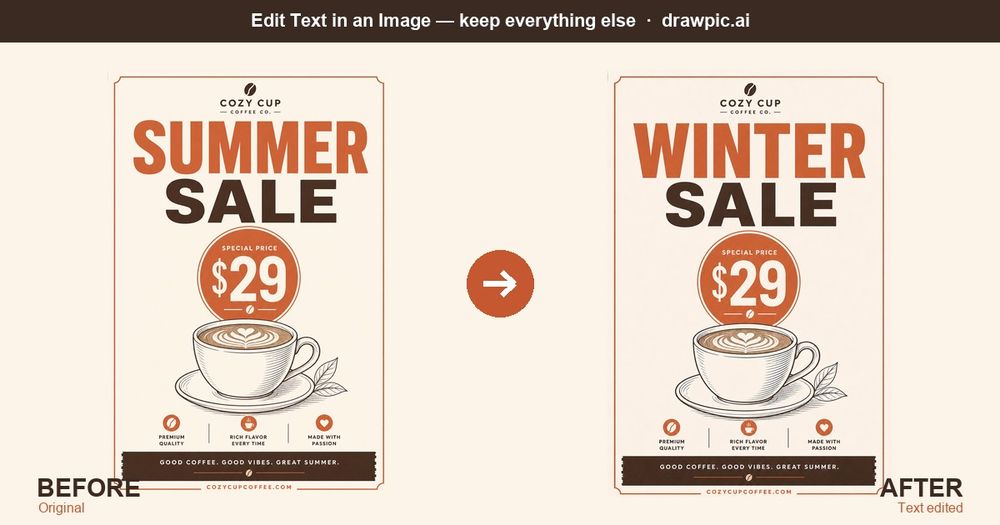
DrawPic Edit Text in Image changes the words, prices and numbers inside an existing picture without redrawing it. Upload an image, draw a box around the text you want to change, type the new wording, and AI rewrites only that area while matching the original font, color and perspective. Everything outside the box stays as it was.
Key features
- Box-select editing: mark exactly which text to change; the rest of the image is left alone.
- Up to 4 areas per edit, each with its own instruction.
- Font and style matching for the new text.
- Long screenshots and non-square images supported.
- No design software needed, runs in the browser.
- Free to try, then pay-as-you-go credit packs. No subscription.
Use cases
- Change "SUMMER SALE" to "WINTER SALE" on last season's poster.
- Update a price on a menu photo.
- Fix a typo on a flyer after the design file is lost.
For your own marketing materials only, not receipts, IDs or other documents used as proof.