
Introduction
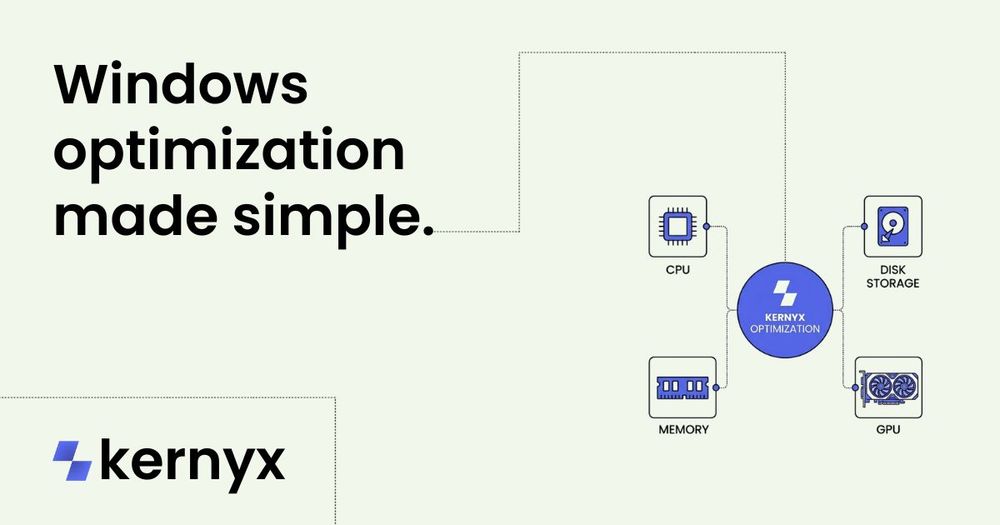
Kernyx is free Windows optimization software for Windows 10 and Windows 11. The public site positions it around performance, input lag reduction, networking, graphics consistency, privacy cleanup, background process control, and safer reversible tuning. It appears built for users who want structured Windows tuning categories rather than a collection of unexplained tweaks.
Key Features
- Windows optimization categories for performance, input, privacy, networking, graphics, and system cleanup.
- Support focus for Windows 10 and Windows 11, according to the public page and FAQ description.
- Reversible tuning is part of the product positioning, which is important for users who want to undo changes.
- Navigation includes Home, Features, Downloads, Compare, Safety, FAQ, and Contact.
- Legal and trust links include Privacy Policy, Terms of Service, and License.
- The site is structured around practical goals and says users can move through routes without relying on JavaScript to understand them.
Use Cases
Kernyx is useful for Windows users who want to review optimization areas before making system changes. The public pages group the product around performance, input lag, networking, privacy, graphics consistency, and cleanup, which gives users a clearer map than random registry tweaks or scattered forum advice.
Gamers and latency-sensitive users may be interested in the input and graphics categories, while privacy-conscious users may focus on privacy cleanup and background process control. The site also mentions debloating, telemetry, FPS, and downloads in the FAQ description, which suggests it addresses common questions people have before applying Windows optimization tools.
The most important caveat is that system tuning can change how a machine behaves. Even when a tool emphasizes safer reversible categories, users should read the Safety, FAQ, License, and Terms pages, understand what each setting changes, and create backups or restore points before applying optimizations.
Pricing
Kernyx is described as free Windows optimization software in the visible page title, meta description, and product copy. The fetched evidence does not show a paid tier, subscription plan, license upgrade, donation model, or enterprise pricing. Users should still review the License page and download page before assuming all usage rights, redistribution rights, or support expectations.
User Experience and Support
The public site is intentionally organized around clear navigation. Users can move from the homepage into Features, Downloads, Compare, Safety, FAQ, and Contact pages. The site copy also says it is structured around practical goals instead of random tweak dumps, which is a useful editorial signal for a category where vague optimization claims can be risky.
Support evidence is visible through the Contact page, which covers setup help, bug reports, technical questions, and general product questions. The FAQ page is also positioned as a place to answer questions about Windows 10 and 11 support, reversibility, input lag, FPS, debloating, telemetry, and downloads.
Technical Details
The available evidence describes Kernyx by optimization categories rather than by implementation details. Visible technical areas include performance, input lag reduction, networking, graphics consistency, privacy cleanup, safer background process control, debloating, telemetry, FPS, and reversible tuning.
No low-level implementation details, installer requirements, command-line interface, API, telemetry design, source code model, or integration options are visible in the fetched evidence. Because Windows optimization tools can affect stability, users should verify exactly which changes Kernyx applies, how reversibility works, what Windows builds are supported, and whether administrator permissions are required.
Pros and Cons
Pros
- Clear focus on Windows 10 and Windows 11 optimization.
- Categories are organized around practical goals such as performance, input, privacy, networking, graphics, and cleanup.
- Reversible tuning is part of the public positioning, which is valuable for cautious users.
- The site includes Safety, FAQ, Compare, Contact, Privacy Policy, Terms of Service, and License routes.
- Support topics include setup help, bug reports, technical questions, and general product questions.
Cons
- Detailed implementation information is not visible in the fetched evidence.
- Users need to verify how each optimization is applied and reversed before changing system settings.
- No API, enterprise deployment, scripting, or integration details are shown.
- Pricing appears free, but licensing and allowed usage should still be reviewed.
- Windows tuning tools may not suit users who are uncomfortable troubleshooting system changes.
FAQ
What is Kernyx?
Kernyx is free Windows optimization software for Windows 10 and Windows 11. It is organized around performance, input, privacy, networking, graphics, and system cleanup categories.
Who is Kernyx for?
Kernyx is for Windows users who want a more structured way to approach optimization. It may interest gamers, performance-focused users, privacy-conscious users, and people who want to understand system cleanup options before applying changes.
Does Kernyx support Windows 10 and Windows 11?
Yes. The public page and meta description describe Kernyx as Windows optimization software for Windows 10 and Windows 11.
Is Kernyx free?
The fetched evidence repeatedly describes Kernyx as free Windows optimization software. No paid plan is visible, but users should review the License page and download information to understand usage terms.
What kinds of optimizations does Kernyx cover?
The public site mentions performance, input lag reduction, networking, graphics consistency, privacy cleanup, background process control, debloating, telemetry, FPS, and Windows cleanup.
Are Kernyx changes reversible?
Reversible tuning is part of the public positioning. Users should still read the FAQ and Safety pages to understand exactly what can be reversed and how the reversal process works.
Does Kernyx provide support?
The Contact page is described as covering setup help, bug reports, technical questions, and general product questions. The FAQ also covers common Windows optimization questions.
What should users check before using Kernyx?
Users should verify supported Windows builds, administrator permission requirements, exact changes applied, backup guidance, restore options, licensing, and whether the optimization categories fit their goals. Creating a restore point before system tuning is a practical precaution.
Conclusion
Kernyx presents a careful, category-based approach to Windows optimization for Windows 10 and 11. Its strongest public signals are free access, reversible tuning, practical navigation, and support content around safety, FAQ, downloads, and contact. The main thing to verify is how the tool applies and reverses changes on a specific Windows system before relying on it for performance or privacy tuning.